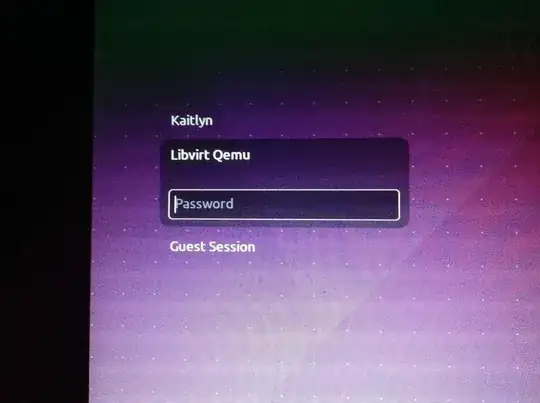
Good evening, I was attempting to setup Virtualization on Ubuntu 16.04, and I restarted my computer. Now I have a normally hidden user, named "Libvirt Qemu" on my login screen. I cannot switch users, because it is highlighted by default, and it locks up when it reaches the login screen.
I want to reach my main user account Kaitlyn, but I can't when the system locks up on the login screen, when a key is pressed.
I do have access to a root terminal using recovery mode, so I'm guessing any fix will have to be done there. I have tried the all the methods shown here. It didn't work, unfortunately.
Picture of my login screen:
Thank you for reading, have a good day. ~ Kaitlyn
(Thank you Chai T Rex, I will do that now.) New development: after a ton of fiddling around with the passwd file and user accounts, I have gotten it it to highlight my user, however, it is still locked up. I tried the following:
Removed the user altogether (This removed it from the login screen, it still locked up however.
Deleted the "passwd" file from /etc/ (I backed it up of course.) This did what you'd expect, and rendered Ubuntu inoperable, so I used a live CD to bring back the backup. I am now trying to see if it's an issue with UID's.
(Edit 2) I have been working all day to figure this issue out, and I have finally given up. I wiped the hard drive and started with a fresh copy of Ubuntu, installed alongside Kali Linux.
If it helps, here is the guide I followed to get this result
