0

I recently upgraded my 11.04 to 11.10 and Unity took me by surprise. I quickly switched to 'GNOME' through the login screen, but I'm faced with some difficulties customizing it. Right click doesn't do anything when I click either the task bar, or the application launcher at the top. I don't seem to have any application launcher except for the dropdown 'Applications' menu.

I am using ubuntu in a virtualbox environment, so prefer a 2d theme. How can I do the following:

  • Combine launcher and task bar into a single bar at the bottom of the screen
  • Double task bar size (and preferably also icons)
  • Provide a launcher on the task bar

(Essentially, I'm looking for a Windows 7 style task bar if something like that exists?)

2 Answers2

1

GNOME has also changed it's interface in Ubuntu 11.10. The new interface for GNOME 3 is called "GNOME Shell". Unfortunately it is nowhere near as customizable as GNOME 2.

You can install GNOME Extensions to try and restore some of the more "traditional" functionality: https://extensions.gnome.org/

The extension "Frippery Bottom Panel" for example, would give you a task bar listing your applications: https://extensions.gnome.org/extension/3/bottom-panel/

Otherwise I suggest trying XFCE, which is much more similar to the old GNOME.

xort372
  • 11
0

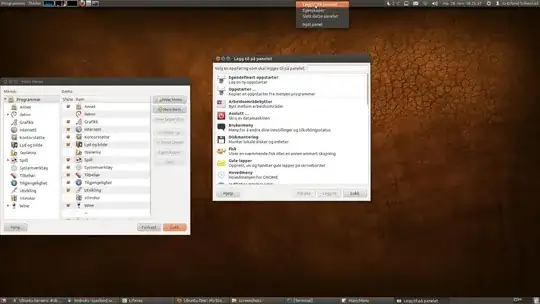
That is a common misconception. In reality, there's no radical changes in the panels with Gnome 3. It's just that you now have to hold the alt-key when you right-click. That will display the same menu, allowing you to add/remove panels and applets. To move a panel applet, you press alt+super+middleclick and drag. (I think super is a bug. It should only require alt). Another change is that applets are now grouped on either the left, center or right part of the panel. Also, the system menu has been moved to the user menu on the right side of the screen because we now have gnome-control-center, which removes the need to have a special menu with all the settings.

enter image description here