2

I had an blank screen on the terminal-mode, via Ctrl-Alt-F1 (F1 - 6), on Ubuntu 16.04 LTS and I followed the steps of izx and it worked, thx for that :) link to izx's solution

but now I have a black/white grub, which I don't like, so I was wondering if somebody can help me get my old grub back like this example from google:
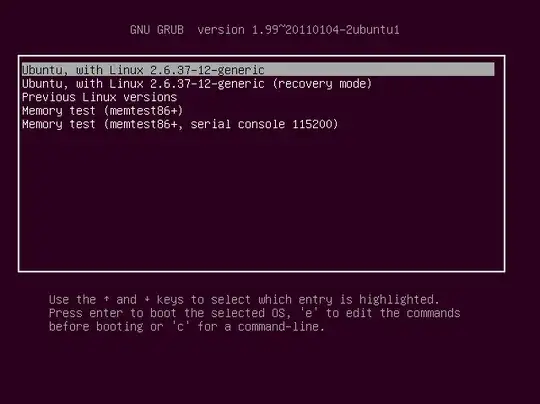
(like this one)

And this,is how my GRUB looks right now:
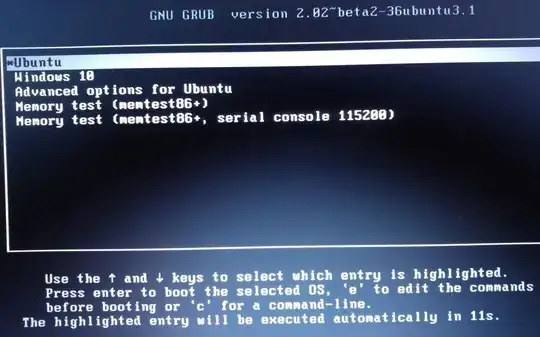
I tried to edit my GRUB with the "grub customizer", but the resolution and colors don't change.

btw I'm relatively new to linux/Ubuntu :D

jnerc
  • 21

2 Answers2

1

I'm afraid there's no way to do so, without completely reverting izx's solution. Basically, what has happened is GRUB is now in a safe mode of sorts. It no longer shows graphics that might be too complicated, since that might cause issues.

To undue this solution (and maybe try another), you could use sudo sed -i -e 's/GRUB_TERMINAL/#GRUB_TERMINAL/g' /etc/default/grub ; sudo update-grub That will allow you to get a pretty grub once again. However, if you are having trouble with TTY1-6, and izx's solution has helped, it might just be worth it to keep GRUB plain-looking.

TSJNachos117
  • 1,532
  • 2
  • 16
  • 20
0

Install plymouth-theme-ubuntu-text with the command

sudo apt install plymouth-theme-ubuntu-text

and then make this the default for text.plymouth entry using this command

sudo update-alternatives --config text.plymouth

Select the entry which says /usr/share/plymouth/themes/ubuntu-text/ubuntu-text.plymouth by pressing the number beside this entry and hitting Enter.

Then use this command sudo update-initramfs -u -v and reboot to see changes.

Anwar
  • 77,855