I remember being able to do this before, but I seem to have accidentally removed this setting in Compiz. How do I turn it back on?
Asked
Active
Viewed 280 times

1 Answers
2
As Roland Taylor pointed out in the comment, you can't click to activate viewport switching. But, you can activate it by a simple mouseover. For that, you can use Ubuntu Tweak.
Follow this question for details about how to install Ubuntu Tweak.
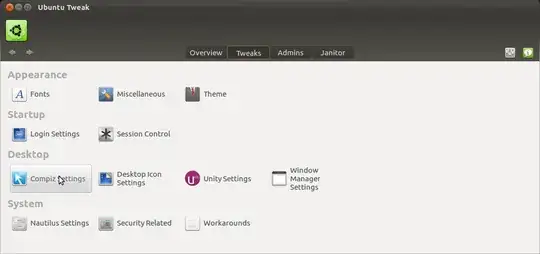
After installing Ubuntu Tweak, open it and move to 'Tweaks' section. Then click on 'Compiz settings'
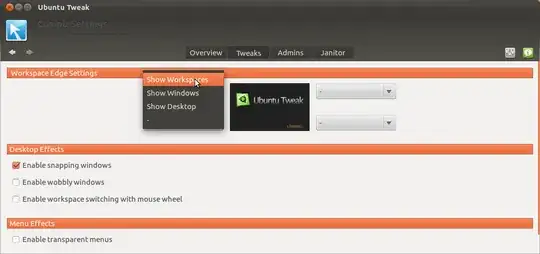
Under 'Workspace edge settings', you can choose the edge where you want to have the hot corner. Select 'Show workspaces' from the dropdown list and you will then be able to switch between workspaces when you mouseover in the designated corner.