3

Possible Duplicate:
How do I find the package that provides a file?

When you type a command in the terminal in Ubuntu that you have not installed but can supplied by a package Ubuntu will suggest the package to be installed.

How do I do the other way around? How do I look for what package supplied the command I am typing in a terminal?

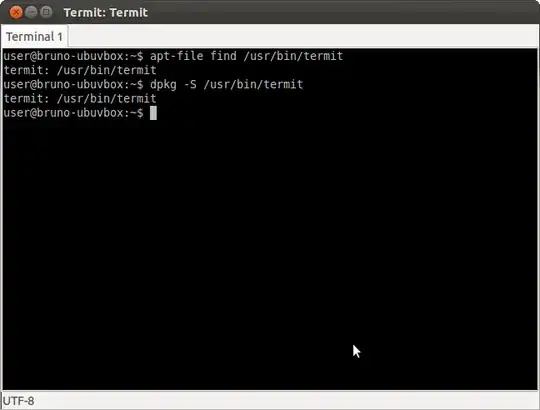
dpkg -S /usr/bin/termit

returns

termit: /usr/bin/termit


apt-file find /usr/bin/termit

returns

termit: /usr/bin/termit

Where termit is an terminal emulator supplied by package termit.
enter image description here

Bruno Pereira
  • 74,715

2 Answers2

5

If you have apt-file installed and configured, you can do:

apt-file find <filename>

This is also handy when you're looking for a command that you don't have installed yet, e.g. if you're working from instructions seen on the web that use a command you don't have.

If you only want to query packages that are installed, you can use:

dpkg -S <pattern>

E.g. for a file that is installed:

% apt-file find /usr/bin/oodraw
openoffice.org-draw: /usr/bin/oodraw
% dpkg -S oodraw
openoffice.org-draw: /usr/share/man/man1/oodraw.1.gz
openoffice.org-draw: /usr/bin/oodraw

and for a file that is not installed:

% dpkg -S /usr/bin/python3.1
dpkg: /usr/bin/python3.1 not found.
% apt-file find /usr/bin/python3.1
python3.1-dbg: /usr/bin/python3.1-dbg
python3.1-dbg: /usr/bin/python3.1-dbg-config
python3.1-dbg: /usr/lib/debug/usr/bin/python3.1
python3.1-dbg: /usr/lib/debug/usr/bin/python3.1-dbg-gdb.py
python3.1-dbg: /usr/lib/debug/usr/bin/python3.1-gdb.py
python3.1-dev: /usr/bin/python3.1-config
python3.1-minimal: /usr/bin/python3.1
bstpierre
  • 2,284
2

If you are using /usr/bin/ls (you can find absolute paths of executables via the which command), you can find what package provided by running:

dpkg -S /usr/bin/ls

Alternatively, running

dpkg -S ls

will search for files named ls (or some heuristic like that) in all installed packages and return a list of them for you, formatted as PACKAGE: /path/to/file.

zpletan
  • 3,443