20

I am unable to download Facebook video using youtube-dl. The following error occurs during downloading:

$ youtube-dl https://www.facebook.com/video.php?v=10152588878600983&set=vb.107925785982&type=2&theater
[1] 5101
[2] 5102
[3] 5103
theater: command not found
[2]-  Done                    set=vb.107925785982
[3]+  Done                    type=2
[2]-  Done                    set=vb.107925785982
[3]+  Done                    type=2
$ [generic] video: Requesting header

$ WARNING: Falling back on generic information extractor.
[generic] video: Downloading webpage
ERROR: Unable to download webpage: <urlopen error [Errno 8] _ssl.c:510: EOF occurred in violation of protocol>

[1]+  Exit 1                  youtube-dl
https://www.facebook.com/video.php?v=10152588878600983
muru
  • 207,228
Madhav Nikam
  • 2,967

6 Answers6

19

When using youtube-dl try to clean up the URL you use. For example, the following URL will work. Thanks for the video ^_~.

How did you install youtube-dl? If you installed it through apt, I would recommend the following:

sudo apt-get remove youtube-dl
sudo apt-get install $(apt-cache depends youtube-dl | grep Depends | sed "s/.*ends:\ //" | tr '\n' ' ')
sudo pip install youtube-dl

pip seems to have a more up-to-date version.

Some characters need to be escaped to prevent issues. You can single-quote your URL to help prevent these issues:

  • youtube-dl 'https://domain.tld/path/file.ext'
earthmeLon
  • 11,658
11

You have to escape ampersands (&) or put the whole URL in quotes since ampersand is one of the special characters that's interpreted by your shell and prevents you from passing the whole URL to youtube-dl. More on this. So just putting it in single quotes will suffice:

youtube-dl 'https://www.facebook.com/video.php?v=10152588878600983&set=vb.107925785982&type=2&theater'
Evan Carroll
  • 7,703
dstftw
  • 298
3

This worked in my Linux Mint 18.3-cinammon maybe it could work in yours.You can download video in facebook using youtube-dl by appending Facebook username and password as shown below:

youtube-dl <url> --username <YOUR_USERNAME> --password <YOUR_PASSWORD>

I hope this help. Thank you.

Eric Carvalho
  • 55,453
k mak
  • 31
3
  1. right click on the video > click on "show the video URL" > copy the URL there come (NOT the URL of the facebook page).

  2. Then, paste the URL copied on the terminal next to 'youtube-dl'

    Ex.: youtube-dl https://www.facebook.com/Amhara-Mass-Media-Agency-118697174971952/

msrt
  • 31
1
youtube-dl --username xxxxx --password xxxxx -t -f mp4 'https://www.facebook.com/xxxxx/videos/123456789'
Kulfy
  • 18,154
John
  • 171
0

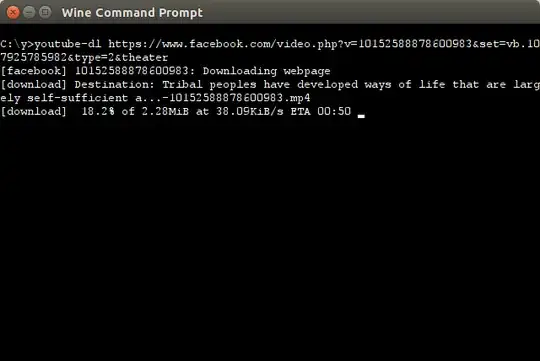
I try download these video through wine+Youtube-dl and its working. I my case I was install YouTube-dl by Ubuntu software center. Now my software center is not work. Therefore I am unable to Update YouTube-dl through Terminal. Updated version of YouTube-dl may solve that issue. wine+youtube-dl Step1:- first install and configure wine.
Step2:- download youtube-dl.exe 2016.01.15
step3:- copy youtube-dl.exe in to /home/youru_username/.wine/drive_c/folder_for_youtube-dl
enter image description here step4:- open cmd.exe from /home/madhavnikam/.wine/drive_c/windows/system32
enter image description here
Note:- youtube-dl is a folder in which youtube-dl.exe file is copied.
step5:- type cd\ in cmd and set path like c:\youtube-dl\
enter image description here More Info 1)How to install Wine in Ubuntu.
2)youtube-dl exe version download and copy to C_drive folder of .wine folder.

Madhav Nikam
  • 2,967