1

When I try to install Kubuntu on my Virtualbox, it says that there isn't enough space:
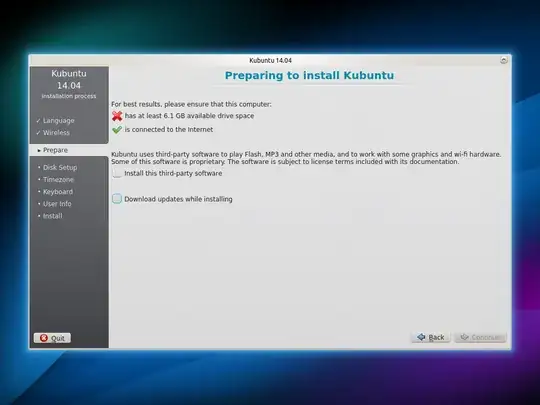
enter image description here

I think this is because I chose to have a dynamically allocated VDI hard drive. Is there any way to install it onto the VDI i've created?


How to install Ubuntu on VirtualBox? doesn't solve it because I know how to install, I just get stuck at the instalation of Kubuntu because it doesn't think the disk is big enough (I even tried formatting, and it was still saying less than 1 MB).

Tim
  • 33,500

1 Answers1

-1

I'm not sure you can. However, you can create a dynamically allocated VHD instead.

Here is how to create it:

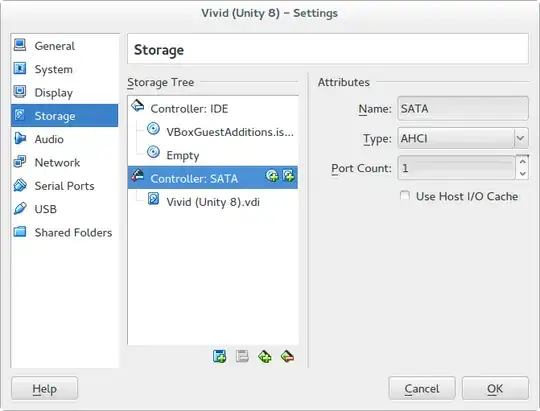
Click settings, and then Storage and click Controller: SATA. Then click the Blue square with a green +.

enter image description here

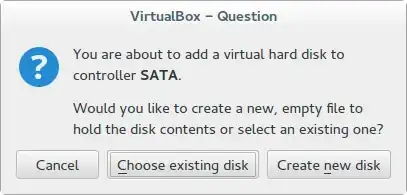
Click Create new disk:

enter image description here

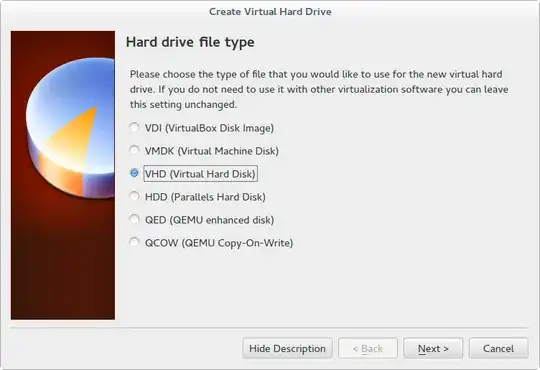
Chose VHD and click Next:

enter image description here

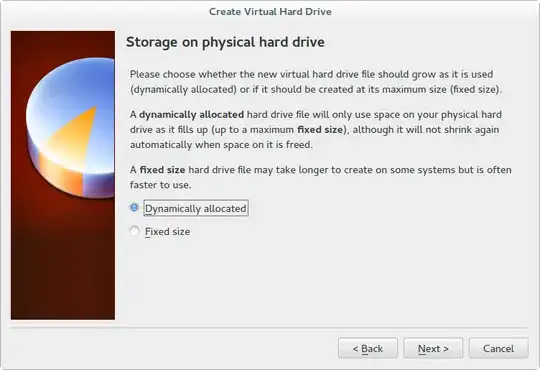
Chose Dynamically allocated, and click next:

enter image description here

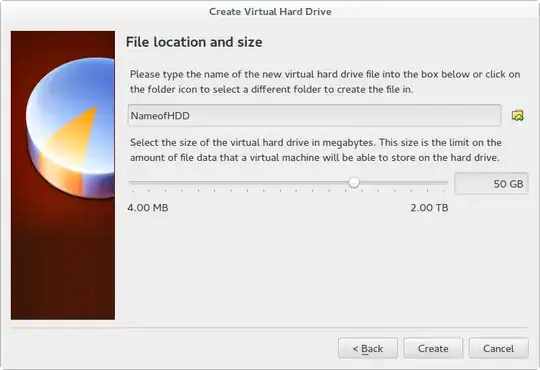
Chose a name, a size and click Create:

enter image description here

You will be able to install Kubuntu on this, it detects it as a full sized HDD. And don't worry about wasting space with the old VDI - you can either remove it, or just ignore it - mine is 3.1 MB.

Tim
  • 33,500