1

I wish to install Ubuntu 14.04 LTS onto my 500GB USB drive. Just to be clear, that's TO, not FROM. I want to have the full OS on my USB, rather than making it a bootable USB. I believe this is possible, and have seen a few threads on it, but the threads are a little bit old. I have tried the partitioning methods, but the installation freezes while making the ext4 file system. Does anyone know the right way to do it?

Also, one thread suggested installing Lubuntu. Is this a better idea?

Bodhira
  • 11

2 Answers2

1

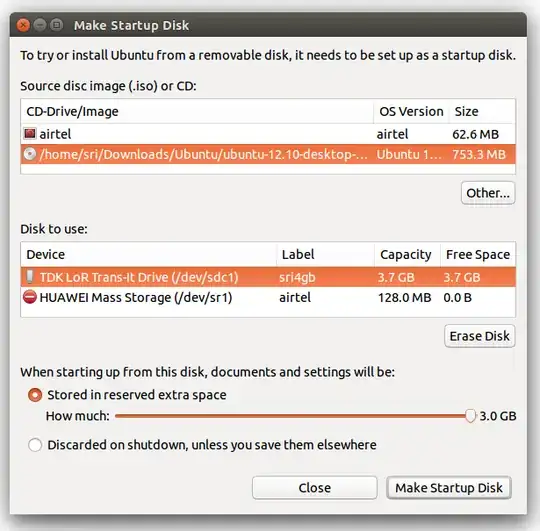
Installing Ubuntu to (and running from) a USB drive is a very simple process. You can even have your documents stored on the USB drive permanently, using persistent storage (Stored in reserved extra space).

Update: Because the default partition type is FAT32, you can't use more than 4GB. To get around this it has been suggested to use gparted - please check this q&a.

I use such a setup all the time to run my own system on others' computers, without having to access their OS and having access to my files anywhere.

You will have to boot from the USB to run Ubuntu from it.

Run the Startup Disk Creator and use 450GB for persistent storage.

enter image description here

Sri
  • 1,743
1

With a 500 GB portable drive you probably want to do a Full install rather than a Persistent install. In that case unplug your internal drive, boot the Live CD or Live USB, plug in your portable drive and do a normal Ubuntu install.

There are many other methods including cloning an existing system.

You can get more than 4GB of persistence with a persistent install by making an ext4 second partition and labeling it casper-rw. then follow Sri's instructions above and delete the casper-rw file after.

C.S.Cameron
  • 20,530
  • 12
  • 78
  • 125