I have two hard drives, one of which (sda) is a 30 GiB SSD, the other (sdb) is a 930 GiB HDD. I have some unallocated space at the end of sdb that I want to install windows to.
Here is a picture explaining it:
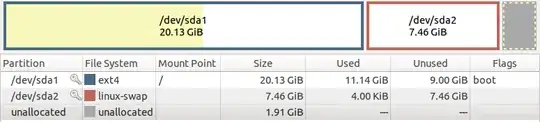

What is the easiest way to install windows into that space? I want sda to be my main boot disk, and use GRUB from there to launch either my main ubuntu install, or my windows install.
Also, is there a good way to help preserve my /data partition? While I agree that a backup is the best option, my backup options are limited, as the only storage device I have that is big enough is limited to a 10MB/s upload, meaning it would take nearly 10 hours to make a backup. (That, plus the fact that most of the data I store there is barely even worth storing once, let alone twice. Rest assured that I will be backing up any actually important data regardless of what else I do.)
I have read How do I install Windows 7 alongside a pre-existing Ubuntu installation? and Install on Second Hard Drive with startup boot option?, but neither quite answer my question.


