2

Wanting to try this unverified answer for this unanswered question, but not without some kind of quick-and-easy backup. Thought copy-and-paste of the /dev/bus/usb/004 folder would do the trick, but that doesn't work (yet), as its contents (001 and 002) appear to be "special files" which cannot be simply copied:

Can't copy special file

  • Any idea how to quickly backup (and/or copy-paste) such files?
  • Would you expect different behaviour of Command line vs. Nautilus/GUI ?
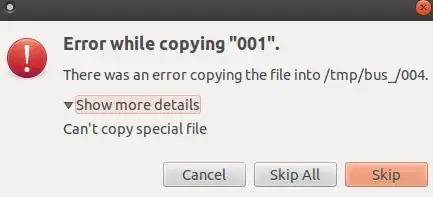
enter image description here

Related but different: https://askubuntu.com/questions/472189/enable-copying-of-special-files-in-gui.

1 Answers1

2

The files in /dev/ folder are special, in a way that they represent devices on the machine, and are not regular files that have content in them. That file probably represents a flash drive you plugged in to your computer, or a USB bus. If it's a USB flash drive, mounting it first, then copying it's contents will do the trick. You could also try backing up the whole disk as an image.

https://help.ubuntu.com/community/Mount - how to mount. How to make a disk image and restore from it later? - check the answer about 'dd' and 'gparted' utilities.

swooboo
  • 21