3

This machine have 2 128 GB SSD drives (http://www.amazon.com/dp/B00EPGHE0E/ref=twister_B00JYFOKKS).

I managed to install Ubuntu with no problems on one SSD drive, but I am having following troubles with RAID setup. Here is the details:

  • I boot from live USB (try Ubuntu option).
  • Install mdadm: sudo apt-get install mdadm.
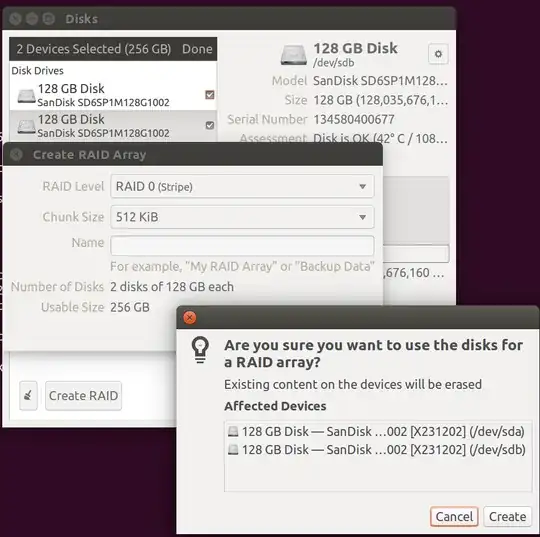
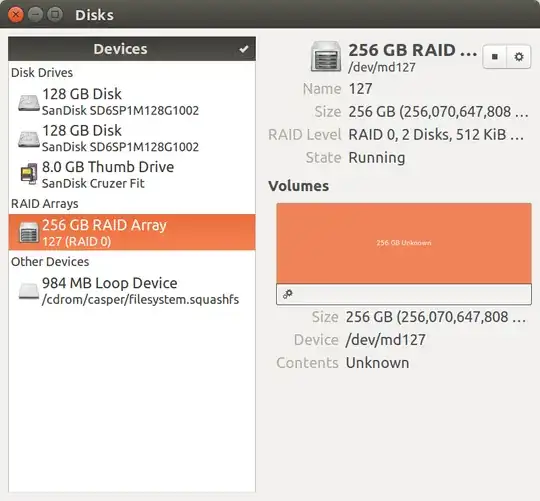
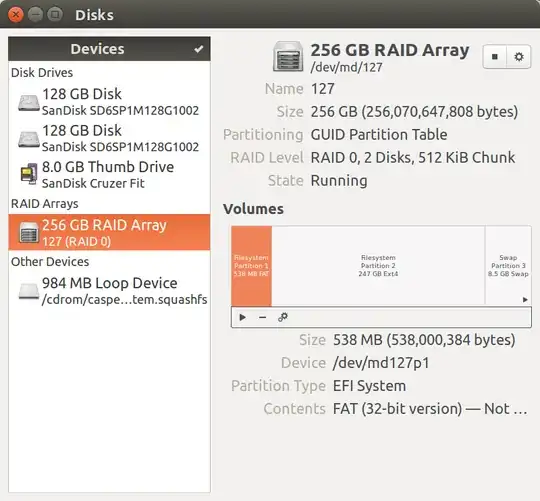
  • Create RAID:

enter image description here enter image description here

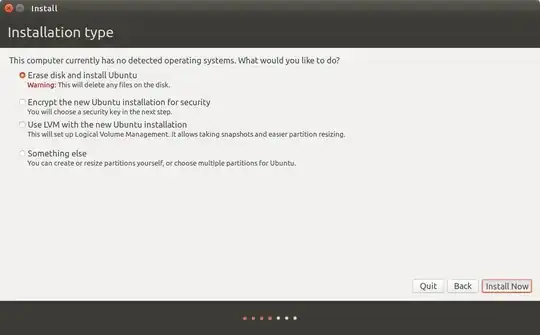
  • Run installer:

enter image description here

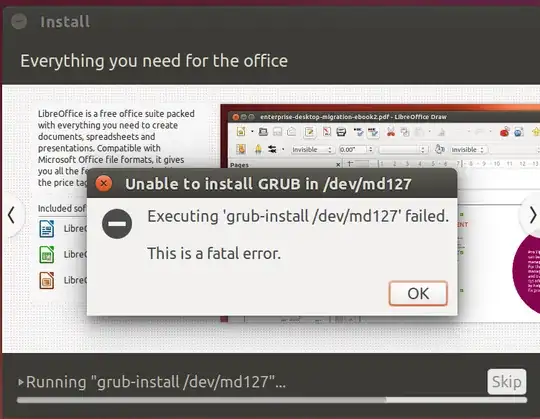
  • It fails to install GRUB:

enter image description here

I also tried to install grub manually after installer failed:

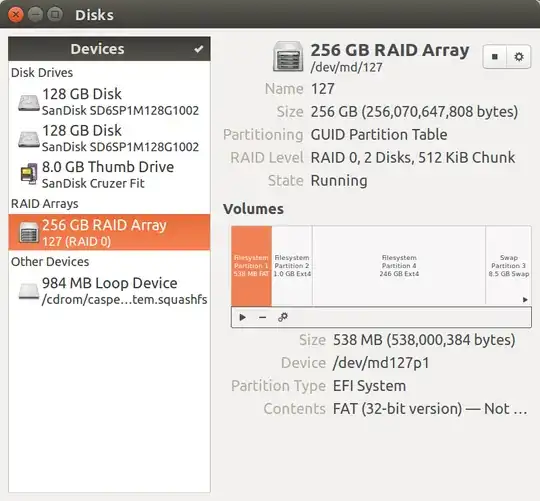
  • I looked how RAID is partinitioned:

enter image description here

  • Added BIOS Boot partinition:

enter image description here

  • Tried to install GRUB:

    $ sudo mount /dev/md127p4 /mnt

    $ sudo mount /dev/md127p1 /mnt/boot

    $ sudo grub-install --root-directory=/mnt /dev/md/127

    Installing for i386-pc platform.

    grub-install: error: diskfilter writes are not supported.

  • Tried solutions proposed in Diskfilter writes are not supported > What triggers this error? but still same error.

UPDATE:

I tried with alternate install image, following this video https://www.youtube.com/watch?v=-x2rZe2Z9as, but, after reboot there are no boot options, BIOS opens without any boot option. I had a boot partition on /dev/sda, GRUB was installed on it, but was unable to boot for some reason.

umpirsky
  • 3,852

3 Answers3

0

The BIOS boot partition(s) must be created on the disk(s) not the RAID device.

One BIOS boot partition is enough for you as your system won't boot with one disk only.

Linux soft RAID works on partitions, not drives. So you'll have to create one partition for the BIOS boot and one for the RAID.

You could have to create a third partition. /boot can be on RAID 1, can't be on RAID 5, and I'm not sure about RAID 0 but it probably can't.

Sacha K
  • 301
  • 4
  • 12
0

Did you try Lubuntu installer which still provide alternate ISO image to properly setup RAID ?

http://cdimages.ubuntu.com/lubuntu/releases/14.04.1/release/lubuntu-14.04.1-alternate-amd64.iso

I guess you already wiped all Windows related partitions to start clean right ?

0

Finally managed to install Ubuntu on RAID 0 and UEFI/GPT system, steps below:

sudo -s
apt-get -y install mdadm
apt-get -y install grub-efi-amd64
sgdisk -z /dev/sda
sgdisk -z /dev/sdb
sgdisk -n 1:0:+100M -t 1:ef00 -c 1:"EFI System" /dev/sda
sgdisk -n 2:0:+8G -t 2:fd00 -c 2:"Linux RAID" /dev/sda
sgdisk -n 3:0:0 -t 3:fd00 -c 3:"Linux RAID" /dev/sda
sgdisk /dev/sda -R /dev/sdb -G
mkfs.fat -F 32 /dev/sda1
mkdir /tmp/sda1
mount /dev/sda1 /tmp/sda1
mkdir /tmp/sda1/EFI
umount /dev/sda1

mdadm --create /dev/md0 --level=0 --raid-disks=2 /dev/sd[ab]2
mdadm --create /dev/md1 --level=0 --raid-disks=2 /dev/sd[ab]3

sgdisk -z /dev/md0
sgdisk -z /dev/md1
sgdisk -N 1 -t 1:8200 -c 1:"Linux swap" /dev/md0
sgdisk -N 1 -t 1:8300 -c 1:"Linux filesystem" /dev/md1

ubiquity -b

mount /dev/md1p1 /mnt
mount -o bind /dev /mnt/dev
mount -o bind /dev/pts /mnt/dev/pts
mount -o bind /sys /mnt/sys
mount -o bind /proc /mnt/proc
cat /etc/resolv.conf >> /mnt/etc/resolv.conf
chroot /mnt

nano /etc/grub.d/10_linux
# change quick_boot and quiet_boot to 0

apt-get install -y grub-efi-amd64
apt-get install -y mdadm

nano /etc/mdadm/mdadm.conf 
# remove metadata and name

update-grub

mount /dev/sda1 /boot/efi
grub-install --boot-directory=/boot --bootloader-id=Ubuntu --target=x86_64-efi --efi-directory=/boot/efi --recheck
update-grub
umount /dev/sda1

dd if=/dev/sda1 of=/dev/sdb1

efibootmgr -c -g -d /dev/sdb -p 1 -L "Ubuntu #2" -l '\EFI\Ubuntu\grubx64.efi'

exit # from chroot
exit # from sudo -s
reboot

Credits:

umpirsky
  • 3,852