1

How can I set Thunderbird to launch automatically in the minimised or hidden-in-Launcher state?

First component of problem is starting it. I do not know which 'Command' is needed.

Second component of problem is keeping it minimised, or hidden from Launcher (given that it's unlocked from Launcher).

Abhimanyu
  • 1,423

1 Answers1

1

To start thunderbird when you log in, add it to the list of start-up applications See Setting up programs to startup at login - in short, open the "Startup Applications" app, and add an entry for Thunderbird.

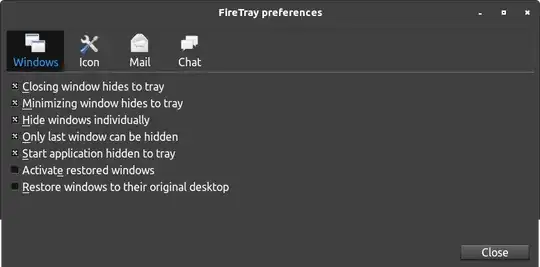
For starting it minimized, I don't know of any native way, but I use an add-on: FireTray It minimizes to the tray, however:

FireTray preferences dialog

(Please excuse the clipped nature of the bottom - I did a hasty job of cropping out a lot of empty space from a too-large picture.)

muru
  • 207,228