I'm using Windows 7 and trying to install Ubuntu. The instructions here tell me
"Download Wubi from the Ubuntu Windows Installer Download page, this will download the latest version by default."
When I follow the given link, I see the big download button that downloads an iso file. However, I don't see where to download Wubi.
This prevents me from following the next instruction:
"Within Microsoft Windows, place your downloaded ISO in the same directory as the Wubi, and run the installer."
I'm sure I'm missing something obvious. Where do I download Wubi?
Update 2: The issue mentioned in the update below is addressed here.
Update: After reading this answer, I downloaded wubi.exe from releases.ubuntu.com. (Specifically I downloaded wubi.exe from the trusty directory at releases.ubuntu.com.) With wubi.exe now in the same directory as the ISO file ubuntu-14.04-desktop-amd64.iso, I went ahead and ran wubi.exe.
Everything seemed to be going well, however, once I rebooted the computer and selected Ubuntu (rather than Windows 7), I received this error message:
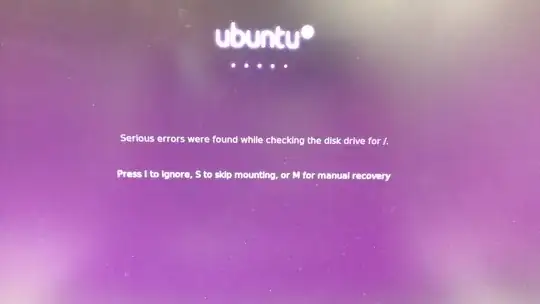
I chose "I" for "ignore", then received this error message:
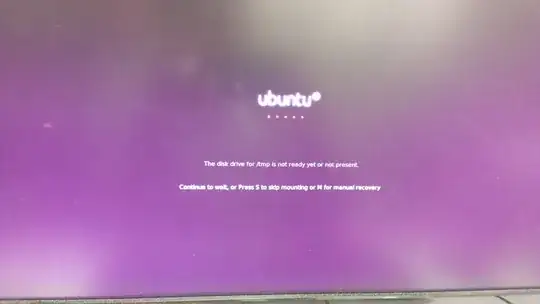
I selected "S" for "skip mounting". Ubuntu did eventually boot up, but I had access only to a terminal and not a typical Ubuntu desktop environment. At the terminal I did sudo reboot, which restarted my computer and allowed me to select Windows as my operating system, which still works fine.
Does anyone have any advice on how I should proceed from here? If I restart my computer now, I'll have a choice between using Windows (which works like normal) and Ubuntu (which is currently broken).


