First install sudo apt-get install gnome-system-tools
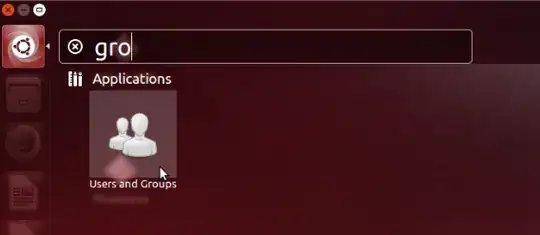
Than open the account manager:
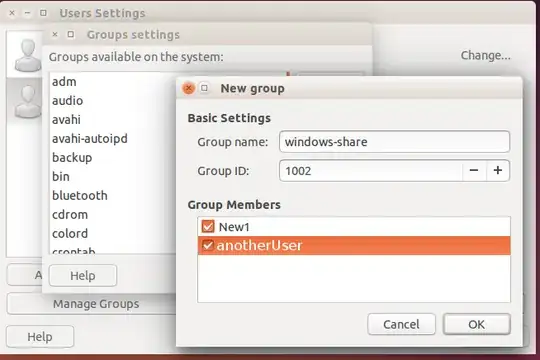
Click on "Manage Groups" then create a new group and add your two users:
(if you don't want to install a GUI for groups you can create a new group from command line)
Now we have to change the /etc/fstab run:
gksu gedit /etc/fstab
and add for the first Volume (at the end of the file):
/dev/sda5 /media/Volume1 ntfs rw,auto,user,exec,nls=utf8,dmask=027,fmask=137,gid=1002,uid=1000 0 2
"gid" must be the group id from your new group.
"dmask" are the permissions for the directories:
- 0 at the beginning is for the owner (in this case the user with the
id 1000 should be your admin user) he has all permissions ( 0 ->
read, write and execute)
- 2 as the second digit is for all users in the group 1002 ( 2 -> read
and execute)
- 7 at the end is for others ( 7 -> no permissions )
"fmask" are the permissions for the files: 1 -> read and write 3 -> read only 7 -> no permissions
For more info look also at this answer https://askubuntu.com/a/54324/265974
Edit:
Mountpoints for the other partitions:
/dev/sda6 /media/Volume2 ntfs rw,auto,user,exec,nls=utf8,dmask=027,fmask=137,gid=1002,uid=1000 0 2
/dev/sda7 /media/Volume3 ntfs rw,auto,user,exec,nls=utf8,dmask=027,fmask=137,gid=1002,uid=1000 0 2




