2

Hello to you and first I want to thank you for taking the time to help me.

I've used Ubuntu in the past (9.04) but pc wasn't good enough. So now I just bought myself all new hardware and built a new pc from scratch. So I saw a new opportunity to give Ubuntu a chance, or more Ubuntu giving me a chance to use It;-)

So I go to the Ubuntu's website, select the 11.04 64bit, download, burn onto a dvd.

But than I boot from the dvd, I see the loading logo, but then I get this really weird screen bug and cannot continue with the install.
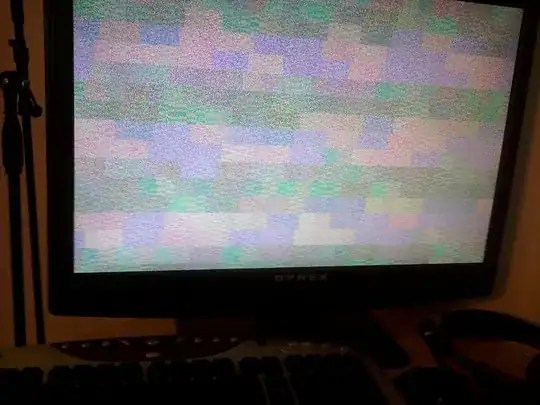
enter image description here

**Intel Core i7 870 2.93g s1156 - 
OCZ ssd 60gigs drive - 
4 gigs 1600mhz Corsair ddr3 ram - 
EVGA GT240 1024m ddr5 video card -
GA-P55A-ud3 Motherboard**

So i was wondering what could I do to be able to install.

I've played a bit with the bios and downloaded and burned so many copy of Ubuntu without any success.

Thanks you so much in advance for your help.

Sincerely yours.

jrg
  • 61,707

2 Answers2

1

For issues such as these, it is worth experimenting with one or more of the common boot options such as "nomodeset" and "xforcevesa".

To do this, press the Escape key when you see the Ubuntu logo.

This will display a similar screen as per this AU answer.

Either select one of the options by pressing F6 or type the text, for example, "nomodeset" as per the example in the link.

Use the option "try without installing". If you see the Ubuntu desktop then double click the icon on the desktop to continue the installation.

Once installed, you will need to "fix" the boot option you chose when booting the live CD.

See this AU answer on how to do this.

fossfreedom
  • 174,526
0

Something similar happened to me and I found out how, I had neglected to burn the disc at the slowest speed, so perhaps that is why you are encountering this problem now.

Once I burnt the disc at the slowest speed, Ubuntu was able to install without any problems whatsoever.

scouser73
  • 4,344