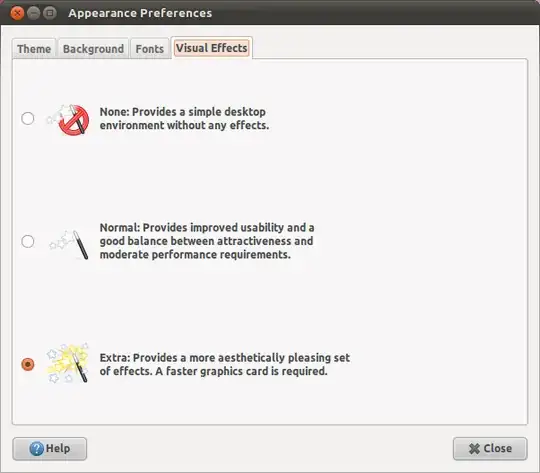
I just upgraded my Ubuntu 10.10 to the latest 11.04, but I'm not seeing the Visual Effects tab in the Appearance window. I want to enable/disable extra visual effects like in 10.10. Please help!
Asked
Active
Viewed 9,629 times


2 Answers
7
Install compizconfig-settings-manager

sudo apt-get install compizconfig-settings-managerLaunch CompizConfig Settings Manager by searching from the dash in Unity, or Preferences > CompizConfig Settings Manager in Ubuntu Classic.
- Click on the Animations tab.
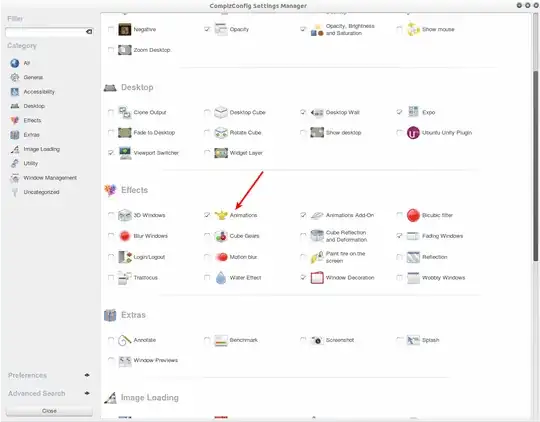
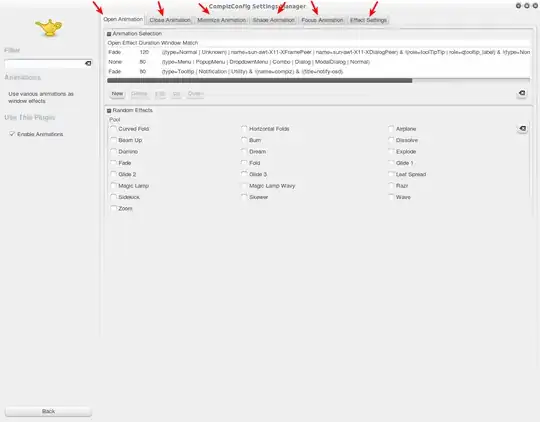
- From here, you may adjust all of the various window animations to your liking
.


0
try typing compiz --replace in the terminal, and also install compiz config settings manager,but be careful with some of the settings like the cube and others,you may have a hard time recovering your desktop if it crashes.

MrMassiveManMeat
- 407