0

It needs to be

  • 100% open source
  • It must NOT recommend any closed/shared source software

Please post in the following format:

  • Desktop environment name
  • A screenshot of the desktop environment
  • Why you should use it
  • How to get/install (without adding ppas/repos with non-free software and/or installing non-free software or metapackages that need non-free software or softwa-re that needs non-free software) it
  • Your opinion of why/why not someone should use this desktop environment
  • For what people it is (etc enthusiasts, normal people, or people who find computers hard to use.)

Please do not post duplicates unless you have a better review of them. You can not post just windows managers alone, but you can post window managers and desktop environments combined (etc KDE/Openbox). The definition of touch-friendly, in this case would be

  • Big icons and text
  • Usable with touchscreens
Braiam
  • 69,112

2 Answers2

2

All Linux distributions are 100% open-source. They just have their own pre-installed software. You can do and undo anything in the system, as that is in its nature. It's like Android. Google makes it one way, but you can gain root access to change it, and they like and allow that.

Ubuntu

It's open-source but owned by Canonical. You can do anything you want with it, with or without root, but in different respects.

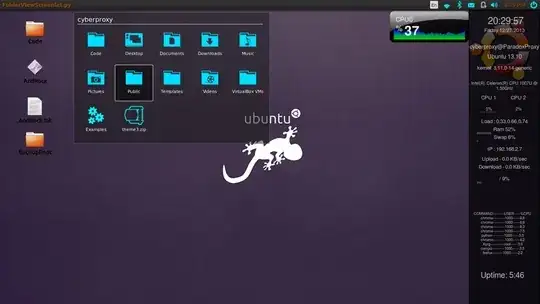
enter image description here

Screenshot :: Why You Should Use It

Ubuntu is great because it's something new. It's not copying any other distro. Kubuntu runs like Windows, and every other Linux distro is based off of something. Ubuntu is something new, something that we get to talk about, it's advanced, stable and pretty hardcore awesome. You can get a lot of work done with a stable OS. I personally favor this.

0

You can try Ultimate Edition. That I know for sure is considered 100% "real" Linux. Not owned by anyone [org.-wise], no pre-owned or installed software.