2

Basically, I want to take what's displayed on the desktop when I hit super+s, shrink it down to icon size, and replace the default Workspace Switcher icon with it in Ubuntu 12.04's launcher and still be fully functional. Any ideas?

I've done some poking around but I don't know much about code. There are quite a few workspace.js files. If anybody needs too see those to help me let me know. I saw lines in the code that were obviously telling the switcher where and how to display. Such as:

class Workspace(TweakModule):
__title__ = _('Workspace')
__desc__ = _('Workspace size and screen edge action settings')
__icon__ = 'workspace-switcher'
__category__ = 'desktop'
__desktop__ = ['ubuntu']

utext_edge_delay = _('Edge trigger delay (ms):')
utext_hsize = _('Horizontal workspace:')
utext_vsize = _('Vertical workspace:')
jwdinkc
  • 181

2 Answers2

0
  1. Open gimp. You can hide the toolbars with the Tab key.

  2. Press the Alt key and start typing "create" and, with the arrow buttons, locate the following line and hit Enter:

    File > Create > Screenshot...

  3. Alternatively, go to the menu File | Create | Screenshot...

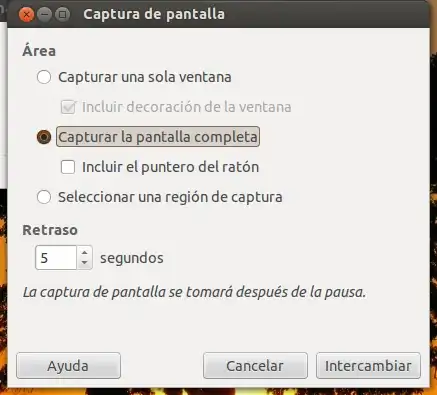
  4. In the Screenshot dialog box, select "Capture full screen" and set a delay of 3 to 5 seconds.

    gimp create from screenshot dialog box

  5. Now click on the button "Change" and minimize Gimp if you like. Press and hold Super + S until you see the screenshot appear in the Gimp workspace.

    select workspaces
     

  6. Resize the image (48x48), and follow the instructions given in a previous question in order to change the "workspace launcher item" as this icon is called.

carnendil
  • 5,529
0

Try out cairo-dock/glx-dock its's highly customizable. to get an idea of what kind of switcher you'll have take a look at the website. It even allows you to switch workspace instantly depending on which quarter of the icon you click. the switcher is live but isn't exactly what you requested as it represents the windows with their icon their border, not their content(but unless you want to watch movies in your switcher you should be fine with it).

trying out is simple: sudo apt-get install cairo-dock but for the full experience you will want to get rid of the unity launcher(there are different ways to do so, depending on your commitment.)

Jani Kovacs
  • 359
  • 1
  • 5
  • 13