After I installed Cinnamon, Nemo automatically installed itself, and now Nemo is default file browser. How can I revert to Nautilus.
Asked
Active
Viewed 1,901 times


1 Answers
5
There are numerous ways to accomplish this.
Try running
exo-preferred-applicationsfrom the terminal(Ctrl+Alt+t ). You should see an option to change your file manager on the 2nd tab named "Utilities".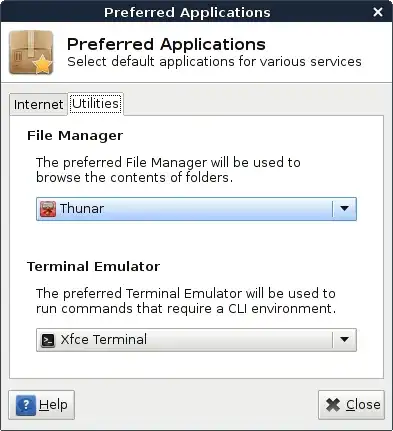
Using
xdg-mime, You could also run the following command to determine your current default file manager:xdg-mime query default inode/directoryThis should return
nemo.desktopas a result.In order to change this, run:
xdg-mime default nautilus.desktop inode/directory application
- You can edit the file
~/.local/share/applications/mimeapps.list- look for the line containing
inode/directory=nemo.desktop; - change it to read
inode/directory=nautilus.desktop;
- look for the line containing


Kevin Bowen
- 20,055
- 57
- 82
- 84