I've seen videos like this one in which a effect appears when the user made a click. What I want it's just the effect only, I don't care the colour of the cursor.
How can I make this effect when I do a click in Ubuntu 11.10?
I've seen videos like this one in which a effect appears when the user made a click. What I want it's just the effect only, I don't care the colour of the cursor.
How can I make this effect when I do a click in Ubuntu 11.10?
As indicated in this very similar question, your best option appears to be using keymon; it is fairly easy to customize it for an effect similar to what you see in your video.
From the Software Center, or via sudo apt-get install key-mon
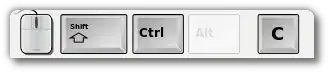
The default window shows mouse and keyboard status, like:
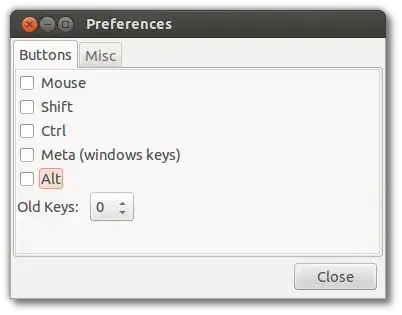
Unless you want it, let's get rid of all these; right-click on it window, and chose Settings:. Then, uncheck everything under Buttons:
and set up the Misc tab as:
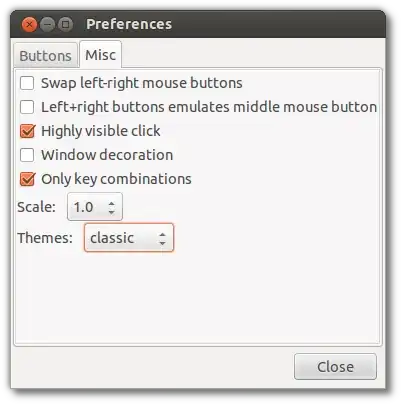
This leaves you with a minimal status window:

And the default click-indicator, which you don't like very much :)

First, let's make the keymon window disappear. Simply run it from the terminal (you can set up a launcher, script or startup too) as:
key-mon --scale=0.1
Next, the files we need to modify are in /usr/shared/pyshared/keymon, so cd to that folder.
Make the click-indicator bolder: in shaped_window.py, find win.set_opacity(0.5) around line 58 and change the 0.5 to 1.0
Increase the fade-out time: at the end of shaped_window.py, find gobject.timeout_add(200, self.hide) and change the 200 to e.g. 750 (it's in milliseconds)
Change the indicator: The indicators are simply SVG files, under themes/*/mouse-indicator.svg; you can edit these with Inkscape, etc. to customize it to whatever you want to be.
sudo wget http://pastebin.com/raw.php?i=rBnUiXWh -O/usr/share/pyshared/keymon/themes/classic/mouse-indicator.svg
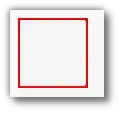
Now start keymon, and you'll see a nice red fading-out indicator like the one in your video around the cursor whenever you click/drag:
Without having to install anything, the only option is to enable "Show position of pointer when Ctrl is pressed"
Press Ctrl and an orange radiating circle should show the position of the pointer.

You can achieve a similar thing with the Water effect in Compiz.
First watch a video about it (grabbed it on youtube): http://www.youtube.com/watch?v=7pcLv8XuGKM The results on the video may look like that it's not what you want, but you can change the settings later after you had enabled it.
Then definitely read What are some of the issues with ccsm and why should I not use it?
Then start.
First, install Compiz-Config by searching it in the Software center.
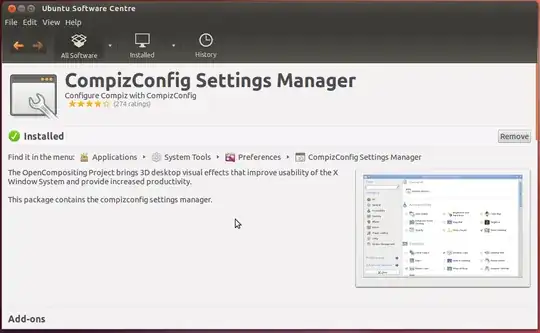
Then, open the program by searching CompizConfig Settings Manager.
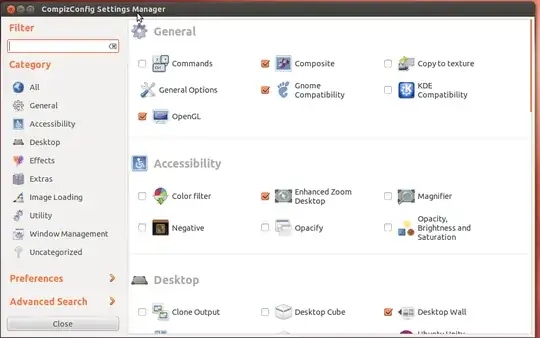
Search for Water Effect and select the option

Enable the effect, set a custom shortcut by clicking the option on Initiate, then click on the shortcut that you assigned, then have fun!
The effects might not be the one you wanted, so fool around with the 2 sliders until you like what you saw.

On KDE Plasma 5.18 LTS / Kubuntu 20.04 LTS it's built in, no extra software installation needed


