I'm new to Linux. This is my first time downloading another operating system to anything. I was pleased when I saw Ubuntu's capabilities and downloaded the .iso at once to try the live CD. When trying out the live CD I noticed that I didn't have any internet connection, but I just assumed that you couldn't use it while using the live CD. I installed Ubuntu on my Gateway Vista laptop after trying out it's features, rebooted, and logged in. My internet still doesn't work, and I've tried everything. I have a Verizon router by Actiontec, and I am assuming I need to install a new driver or firmware for it to work with the new operating system, or maybe I'm way off. I just don't know what else to do. Any suggestions?
Asked
Active
Viewed 439 times

3 Answers

0
First try using the easy way and use the additional drivers utility.
Make a wired internet connection and fully update your system.
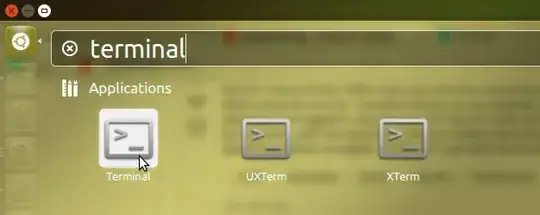
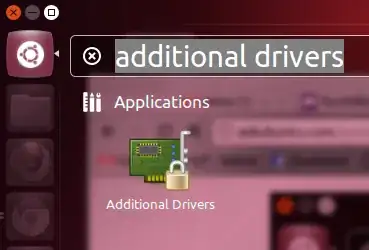
Next open the dash (by pressing the windows / super key).
Then type additional drivers and click on the additional drivers icon.
Finally install any additional drivers which are suggested.

Fernhill Linux Project
- 3,899
0
You have a Broadcom BCM4311 wireless chip. See these related questions:
- How can I get Broadcom BCM4311 Wireless working?
- Dell 1390 wireless (BCM4311) Ubuntu 12.04 no wireless icon in unity
- Dell Upgrade to 13.04 & 13.10 No wifi, graphic card driver and bluetooth Problem?
- Community tutorial on bcm43xx drivers
In short you will have to download and install proprietary drivers. In case you are unable to establish a wired (Ethernet) connection to your router this can also be done from another computer or from Windows. See the following answer on how to download packages offline:

