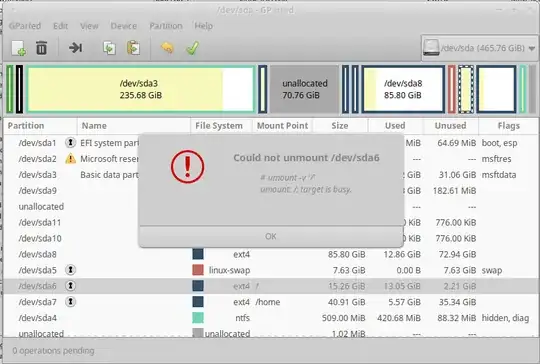
I've tried to find my particular issue elsewhere but can't seem to. I have a dual booted Window's/Linux PC, and I can't install the new update for Ubuntu because I don't have enough space in the root partition. I'm trying to add space there, but it is locked and saying it's at it's maximum. I have 77 unallocated GB but can't seem to use them. Upon my research I've noticed a couple things that people need/ask for so I'm including them here.
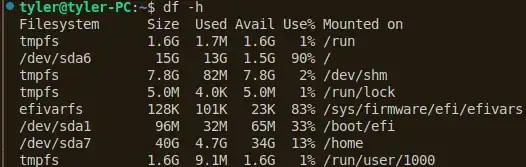
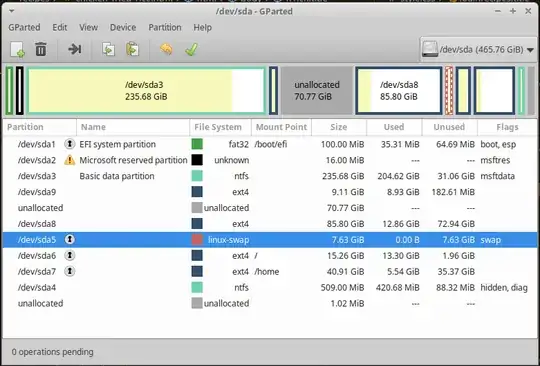
As I was writing this comment I tried to do things on the links that were populated. Didn't get anywhere. If you want me to go back and do something else then I can, but I would really appreciate your feedback on where I went wrong and why it didn't work. I'm not saying that I give up. I just may be doing it wrong or not understanding the concept enough to execute properly.
--edit
Tried following the first answer and came across this: