You can add Ventoy disk to grub menu. also, you can add grub 2.12 to Ventoy menu.
1. Adding Ventoy disk to grub menu
In the bios based device, add the following menu to boot from Ventoy disk:
menuentry "Ventoy Disk" {
set root=(hd1)
chainloader +1
}
We assume that Ventoy Disk is hd1 because you booting from hd0. also, the following menu worked with me:
menuentry "Ventoy Disk" {
    set root=(hd1,2)
    chainloader +1
    }
The last menu entry worked because Ventoy files placed on the second partition in Ventoy disk. when we chain this partition this will reload the Ventoy bootloader after pressing any key.
2. Adding grub 2.12 to ventoy menu:
Ventoy is based on modified grub 2.04, but I use a workaround to load grub 2.12 to boot from Ubuntu partition and use all my menu entrys that are based on grub 2.12. the workaround is making grub.iso by mkrescue command from your Ubuntu, and adding this ISO file to the first partition on the Ventoy Disk.
To make grub.iso:
mkdir -p disk/boot/grub
grub-mkrescue -o grub.iso disk
Before make this ISO file, you can add extra files to ~/disk/boot/grub like your grub.cfg file or modified one.
This is my Ventoy disk boot menu:
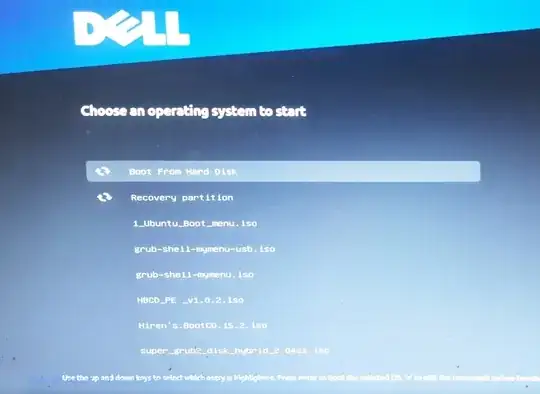
Invoking grub-mkrescue
Making a GRUB bootable CD-ROM


