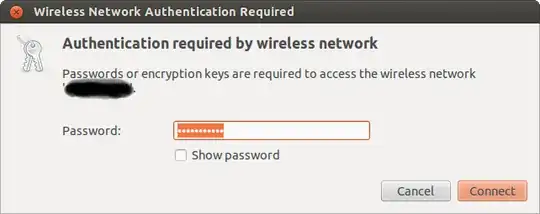
I am using Ubuntu 12.04 with gnome-classic, and every time the wireless goes down, be it because I lose signal or some other reason, my laptop automatically tries to reconnect but I am asked to confirm the wireless password details in a window like this:
Authentication required by wireless network
Password or encryption keys are required to access the wireless network 'abc1234'.

Password: *********

Cancel / OK
The password is saved in the system, I don't have to type it again, but the window keeps popping up for every reconnection and I need to click the 'OK' button every time. Is there a way to avoid having to click 'OK' every time it tries to reconnect, since the password is already stored in the system?


