I would like to set my Nautilus "Default view" to List globally on my PC.
Is this possible, if so, how do I achieve this?
I would like to set my Nautilus "Default view" to List globally on my PC.
Is this possible, if so, how do I achieve this?

First, reset all previous folder view preferences by deleting ~/.local/share/gvfs-metadata (source)
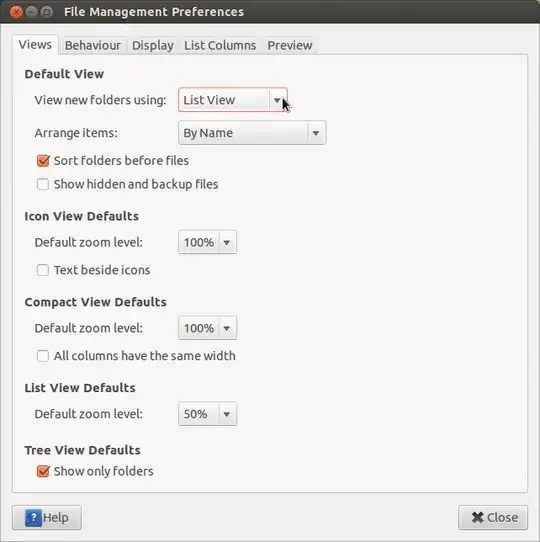
Next, open Nautilus and select Edit -> Preferences -> Views (tab) -> View new folders using , and change to List View:

For everyone who likes to do things by terminal changing the settings for nautilus can be done by
gsettings set org.gnome.nautilus.preferences default-folder-viewer 'list-view'
If you need to find out which settings are applied to nautilus you can go
gsettings get org.gnome.nautilus.preferences default-folder-viewer
The credits for this post go to: https://scivision.co/ubuntu-setting-nautilus-default-view-to-detailed-list-view/

Other possible way of solving this is through dconf Editor, see org.gnome.nautilus.preferences and default-folder-viewer there.

This means there would be a simple one-line expression to change this, so you can include it easily to your config/setup scripts. See more on dconf.
For Gnome 2, the following should be enough:
sudo gconftool-2 --direct --config-source xml:readwrite:/etc/gconf/gconf.xml.defaults --type string --set /apps/nautilus/preferences/default_folder_viewer list_view
Other possible values are icon_view and compact_view
For Ubuntu 12.04 and similar Unity-based UI, edit /usr/share/glib-2.0/schemas/org.gnome.nautilus.gschema.xml file: find the default-folder-viewer key and replace its <default> tag value by 'list-view'


