I have a question about the WSL version of Ubuntu. Is there an easy way to have bash start automatically when Windows starts and pass a command to it to start the SSH server? So that the SSH server runs all the time when Windows runs.
Asked
Active
Viewed 2.7k times

1 Answers
17
This also works on WSL 2.
Solution 1: use VBE script
Click on Start and search for shell:startup. also you can go manually to:
C:\Users\%username%\AppData\Roaming\Microsoft\Windows\Start Menu\Programs\Startup
now create a new file sshserver.vbe and add this text and save:
Set ws = CreateObject("Wscript.Shell")
ws.run "wsl -d Ubuntu -u root service ssh start", vbhide
Solution 2: Task Scheduler
Click on Start and search for Task Scheduler.
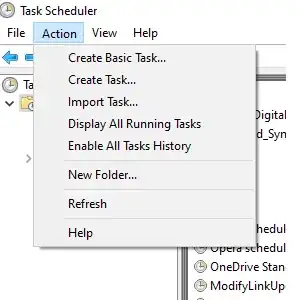
On Task Scheduler click on Action and select Create Basic Task
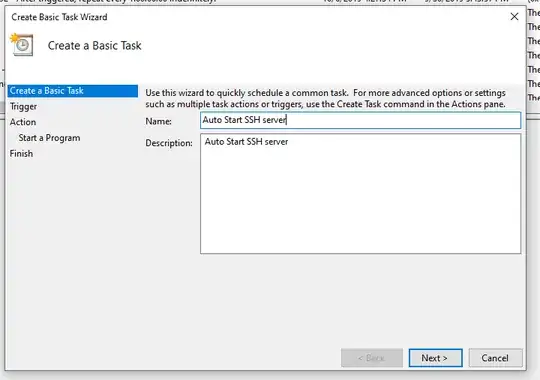
On Create Basic Task Fill out Name and Description "Auto Start SSH server"
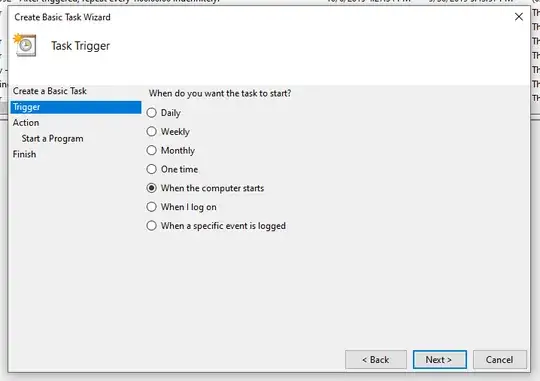
On Trigger select: When the computer starts.
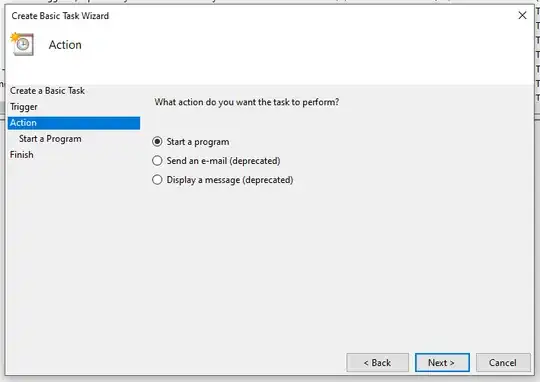
On Action select Start a program
On Start a Program type path:
C:\Windows\System32\wsl.exe, next on add Add arguments (optional):-d Ubuntu -u root service ssh start.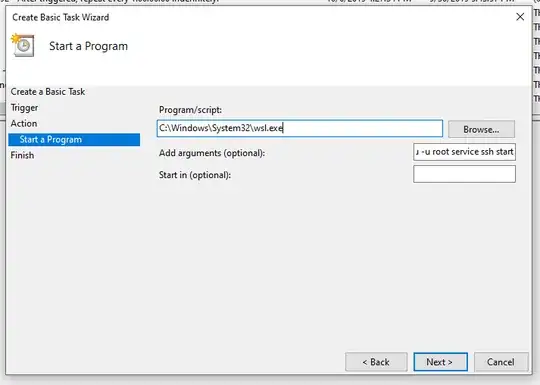


You should have something like this on the last step.


muru
- 207,228

Cornea Valentin
- 739
- 6
- 11