I want to share my Gnote files between two Ubuntu PCs. Therefore I sync the folder ~/.local/share/gnote to Ubuntu One. But I don't know how to tell Gnote on the other PC to utilize this synced folder.
Asked
Active
Viewed 883 times

1 Answers
1
If you are already syncing a folder on Computer 1 with Ubuntu One, you can easily add that folder on Computer 2 with the Ubuntu One app.
Open it and click on the 'Cloud Folders' button. You should see the ~/.local/share/gnote folder from your question there.
Make sure you are seeing all the folders by clicking the small black triangle next to 'My Folders' to expand the list.
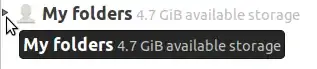
This assumes you have already added it on Computer 1, and that at least one sync has occurred. I seem to remember that Ubuntu One may not support symlinks, nor folders outside /home, so watch for that if you have problems.
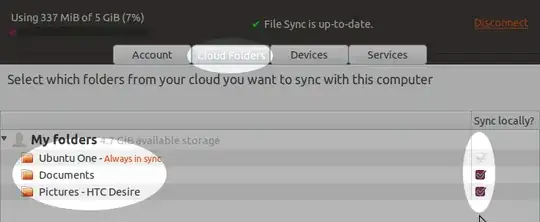
I can't find any documentation specific to hidden files, but this related question seems to indicate it's possible.
I'm also scratching my head wondering how this isn't an exact duplicate, but I can't find this same question on Ask Ubuntu right now. It's a good question anyway.
For completeness, here is the answer to your question on the Ubuntu One tutorials page, here is the main tutorials page, and here is the FAQ page. Hope this helps and post an update to your question if it doesn't, and I will adjust the answer.


Tom Brossman
- 13,297