I'm using Worklight v6.1 and i'm facing an issue on deploying my app to Windows 8, the reproduction steps are the following:
- added the Windows 8 environment to the Worklight application
- built the application using worklight production server settings, verified the correct working
- copied native folder to a Windows 8 pro x64 environment, opened its .jsproj file using Visual Studio 2012 Ultimate
- when i run this application using the Win8 simulator i get the 0x2efd error, followed by other errors as
impossibile to add dynamic contentandHost is not responsive, obviously the app doesn't work.
the .html file contains the correct reference to the Worklight production, from a web browser installed in Windows8 pro x64 i can reach correctly the production server.
the manifest file contains the following capabilities:
 <Capabilities>
    <Capability Name="enterpriseAuthentication" />
    <Capability Name="internetClientServer" />
    <Capability Name="internetClient" />
    <Capability Name="privateNetworkClientServer" />
  </Capabilities>
here is a screenshot of the javascript project's visual studio console: https://i.stack.imgur.com/Ukwey.png
Worklight static properties are shown here:
WL.StaticAppProps = {
   "APP_DISPLAY_NAME": "jqueryExtendedApplication",
   "APP_ID": "jqueryExtendedApplication",
   "APP_SERVICES_URL": "http:\/\/172.17.196.140:9080\/worklight\/apps\/services\/",
   "APP_VERSION": "1.0",
   "ENVIRONMENT": "windows8",
   "LOGIN_DISPLAY_TYPE": "embedded",
   "WORKLIGHT_PLATFORM_VERSION": "6.1.0.00.20131219-1900",
   "WORKLIGHT_ROOT_URL": "http:\/\/172.17.196.140:9080\/worklight\/apps\/services\/api\/jqueryExtendedApplication\/windows8\/"
};
as stated previously i am able to access the Worklight console from a web browser using this link: http://172.17.196.140:9080/worklight/console/#catalog
Added successfully the mobile web environment, as with all the other environments i get on loading a message box stating that the application is trying to access to Worklight server for looking for available updates(if i don't set connect on startup to true i don't get it). the preview url is http://172.17.196.140:9080/worklight/apps/services/preview/jqueryExtendedApplication/mobilewebapp/1.0/default/jqueryExtendedApplication.html
if it can be useful: my app's layout doesn't fit properly to any screen, both in production and develoment environment:
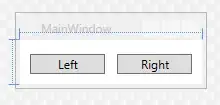
i created an empty windows8 app , added jquerymobile 1.3.2 and deployed, the development server can't load it, the production server succeeds on loading but gets stuck showing a rotating gear:
Update: without adding JQM the empty app works. I think this could be the issue for the other applications. isn't JQM v1.3.2 supported by windows 8 environment? sounds weird..


