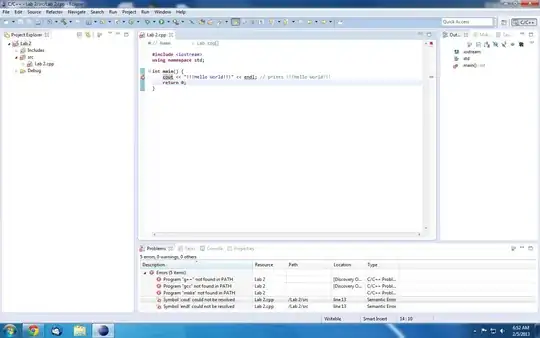
You also need to tell eclipse which toolchain you're using, see:
http://help.eclipse.org/galileo/index.jsp?topic=/org.eclipse.cdt.doc.user/reference/cdt_u_prop_build_toolchain.htm
If you run g++ --version from a standard windows command prompt, you should see the version printed. If you don't, windows may not be following the cygwin symlinks required and you could find that the actual executable isn't called g++.exe at all. For example, on my system, the binary actually lives in:
C:\cygwin\bin\gcc-4.exe
I would also ensure that cygwin is installed to a directory which doesn't contain spaces because it has been known to mess with a few things. Also ensure you use the windows directory in your PATH so C:\cygwin etc rather than /cygdrive.
CDT is a little messy to set up for the first time but unfortunately all C++ Windows IDEs are - even MSVC. It's not a bad IDE at all.