After importing the project file disappeared R.java I tried Project - Clean, nothing ...
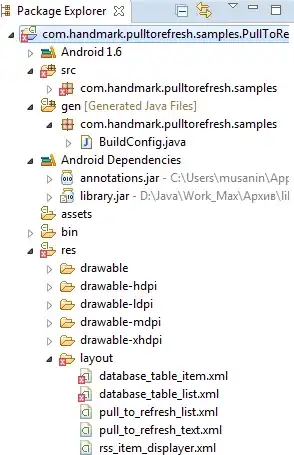
After importing the project file disappeared R.java I tried Project - Clean, nothing ...

Yes, if you've any errors on your *.xml files. The R.java file will not generate. Try to clear that errors first. After, clean your project and try to run.
Hope it helps you.

Go to Project and hit Clean. This should, among others, regenerate your R.java file.
OR there might be any error in one of XML files.

//once you import your project. your library jar files wont get import it seems.
try to put that libs in project from C:/user/musanin/ and D:/java/work_Max

Clear all errors from the "res" folder and clean. It will generate your R.java file.

That implies errors on the layout or Manifest file , which are XML . Fix them first and clean the project

Without Removing the error present in .xml file your R would not appear..Open your .xml file and see what the errors are..If they are false error then just format the .xml file [ctrl+shift+f this will format your file] and save it. Then Clean your project and buil it again..You will get your R.java back.. :-)

Rectify the errors in the xml files and after that do
1) clean the project (or)
2) Restart the eclipse

I lost the R files once importing the project. The reason was target SDK conflict (in .manifest file) between appcompat library and my project (my project had 19 whereas appcompat was 21).
And you should be good to go.

