11

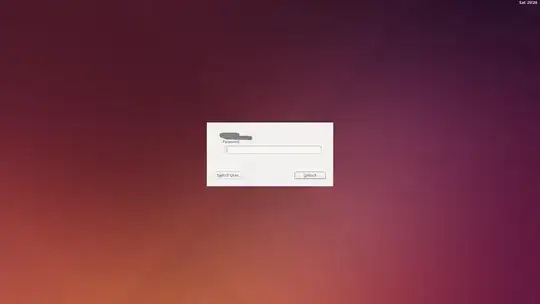
My lock screen changed one day from the default: lock screen before
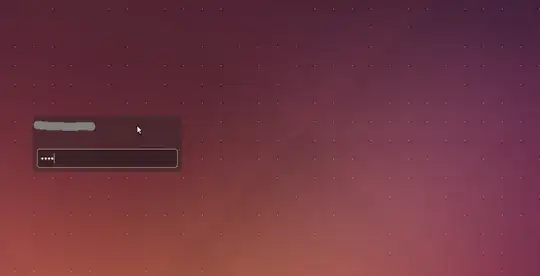
to this different one: lock screen after

I am running Ubuntu 14.10. The install was originally a 14.04 that I upgraded to 14.10. The lock screen did not change at that point. Since then, I've just simply been periodically installing updates and adding software packages here and there. I'm not positive but I think the lock screen changed after I installed some packages from the Ubuntu repos (might have been MuseScore) using apt-get.

This is not a big deal, but I wish I knew why it randomly changed . Any idea why it did this?

Edit: Here is the output of dpkg --get-selections | -v deinstall, as requested by Tim.

dagrha
  • 992

3 Answers3

13

I had the same problem. For some reasons, my "Screen Reader" option in "Universal Access" was turned on (I suspect my daughter) and was preventing the new lock screen to kick in.

Apparently, "on-screen keyboard" option could also cause this behaviour as suggested in this thread:

How to restore the new 14.04-lockscreen

I suggest you check in System Settings > Universal Access to see if you have any option enabled that could be the cause of the problem.

Good luck

6

Both the lock screen exist in your system. The first one is provided by Lightdm, you can try

dm-tool lock

The second one is provided by gnome, use

gnome-screensaver-command -l

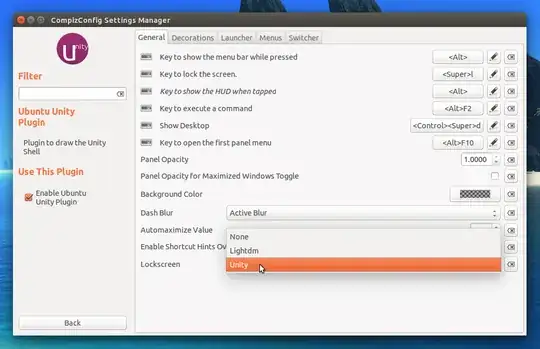
To set dm-tool as your desired lock screen install, compizconfig-settings-manager

sudo apt-get install compizconfig-settings-manager

Go to CompizConfig Settings Manager, click on Ubuntu Unity Plugin and on the General tab, under Lockscreen, you can select LightDM lockscreen.

enter image description here

webupd8 described how to switch between unity and lightdm lock screen.

sourav c.
  • 46,120
0

i also have the same problem. read about it on other pages too but couldn't find a solution. neither by terminal commands. finally i find a solution. i turned off the on screen keyboard from the Universal access -> Typing menu and i got my old dm-tool lock screen. This worked for me.

nrao
  • 11