18

I recently installed Ubuntu 14.04. Shutdown and logout from the top panel are not working.

They worked fine when installing the OS, but a few days back I installed fglrx drivers for my ATI graphics card. They didn't work and I got low resolution problems and Ubuntu didn't boot. I solved it by removing the fglrx graphic driver from the recovery mode and Ubuntu started to boot and work just fine, at least that's what I thought.

But now the shutdown and logout options in the top panel don't work. I have to logout using ctrl+alt+delete and shutdown with the shutdown option in the top panel (shutdown option works after logging out but not when logged in as a user).

I re-installed Ubuntu 14.04 LTS and shutdown options worked fine but after installing updates they stopped working again. I thought its the graphic driver fglrx installation problem but now i know its not that. I think its a problem with some file that got installed from Ubuntu updates.
Does any one know how to solve it?

αғsнιη
  • 36,350
Sudheer
  • 5,213

6 Answers6

15

No need to remove cairo-dock from start-up applications.

Use one of the these solutions:

  • Find cairo-dock.desktop file ~/.config/autostart and add this code,X-GNOME-Autostart-Delay=20

Steps to solve easily (tested in Ubuntu 14.04)

  1. Run gedit without root
  2. Click open file menu and press Ctrl+H
  3. Open file ~/.config/autostart/cairo-dock.desktop
  4. Add this

    X-GNOME-Autostart-Delay=20
    
  5. Save and close

  6. Reboot your unity/gnome

Delay time more than 20 works fine.

or:

  • Select cairo-dock startup application from startup application and change command option to:

    sh -c "sleep 30; exec cairo-dock -o"
    

    source here and here

or

  • Create a script called startdock, with the text

    #! /bin/sh -e
    sleep 20
    cairo-dock
    exit 0
    

    Make it executable, and in the startup items add a new command with path to this script.


This is a bug as indicated in a comment. The bug report states that

Unity's shutdown/restart dialogue is not working when another application is registered to LauncherEntry interface of Unity DBus. It seems we have this bug when Cairo-Dock (and its Launcher-API-Deamon), DockbarX or Plank are launched before Unity.

To solve the same problem with Plank dock, replace cairo-dock with plank in one of the above solutions. The same for other applications.

sameermw
  • 525
2

This method is better than the others since the problem is solved and Cairo Dock starts with almost no delay.

Edit /usr/lib/x86_64-linux-gnu/cairo-dock/cairo-dock-launcher-API-daemon as root.

Add the following line at line 33:

from time import sleep

and the following line at line 241 (just before ULWatcher()):

sleep(5)

Then, restart the session.

If you're using a 32bit version of Ubuntu, the file will probably be in -

/usr/lib/cairo-dock/cairo-dock-launcher-API-daemon

This solution has been taken from the Launchpad Bug Page.

0

Shutdown using power menu

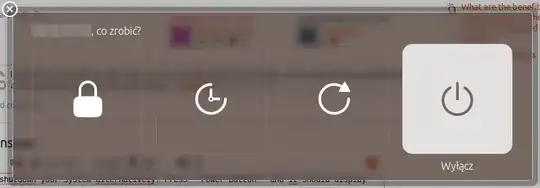
You can shutdown your system alternatively. Press Power Button and it should display menu with options to choose from:

  • Lock
  • Suspend
  • Reboot
  • Shutdown

Choose shutdown. It will work.

Power menu Screenshot

Shutdown using terminal

  1. Press CTRL+ALT+T
  2. Type: sudo shutdown -h now
  3. Press Enter
  4. Enter your password if needed
  5. Press Enter again

You're done.

Daniel
  • 788
-1

I too have faced this problem and now the problem is solved. So, here I am going to share my experiences: First use shortcut key Alt+Ctl+L and lock your Ubuntu and then from the top right corner click on the setting button and then click on switch user. Then, Click on the setting button and then click on shutdown. Start your computer again. Now you can easily shutdown from the top panel.

Hope you will get your problem solved. Thanks !

-2

try this

sudo -i
gedit /etc/default/grub

find the line

GRUB_CMDLINE_LINUX_DEFAULT="quiet splash" 

and change it to

GRUB_CMDLINE_LINUX_DEFAULT="quiet splash acpi=force"

save the file and close it.

now run

update-grub

now i think your problem solved.

sameermw
  • 525
-2

Removing Cairo-dock from the startup applications solved my problem its due to a bug as commented by Xeranas

Sudheer
  • 5,213