I'm running Ubuntu 12.04 - Desktop X86-64 and would like to install a stand-alone virtual desktop manager for managing my workspaces. What I mean by stand-alone is that it's not integrated into the taskbar or dock like the default manager is. It would have it's own window like any other program does. I've googled around but can't find any.
Asked
Active
Viewed 653 times
1 Answers
0
There do not yet seem to be any such applications made for the Linux world. However there are some dock/taskbar programs that have virtual desktop managers integrated into them.
lxpanel has a virtual desktop manager applet. If you remove the other applets it can be used for just virtual desktop management, and with an appearance similar to some Windows based virtual desktop managers like for AltDesk for example. Adjust the panel size to just enough pixels wide to fit the applet.
It doesn't work on Unity so I've hit a dead end, though perhaps a different panel/dock program can help me there, but if you install openbox and compiz you can use it though the menu for changing the applet's settings doesn't work. If you launch lxpanel from a terminal you won't be able to close that terminal, so it's better to make a desktop shortcut.
What I Used:
sudo apt-get install compiz
sudo apt-get install compizconfig-settings-manager
sudo apt-get install obconf
Then logged into OpenBox
Right clicked to get the OpenBox menu, and opened a terminal
lxpanel
Put in the settings I wanted
Result:
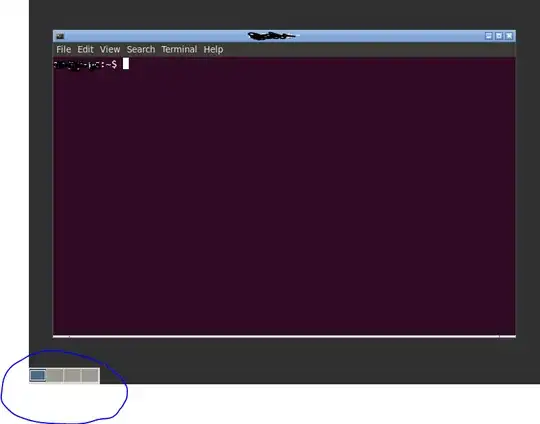
As you can you get a small floating panel displaying the available virtual desktops, that you can position in different areas of the screen, and open/close seperate from the desktop environment.

please delete me
- 1,339