5

xrandr -q gives me a list of connected displays, but how can I find out (script friendly) if a display is currently active?

Context: I would like to write a script to toggle a Display. If it's active it should be turned off, if it isn't it should be turned on.

Note: xrandr -q basically provides this information since active modes are marked with a *, but this information is hard to extract within a bash script.

innerand
  • 121
  • 1
  • 1
  • 10

4 Answers4

4

The displays that are active have their resolution and offset number shown in the identifying line of xrandr output. Here's what I mean:

$ xrandr | grep connected                                    
eDP1 connected primary 1366x768+1280+256 (normal left inverted right x axis y axis) 345mm x 194mm
DP1 disconnected (normal left inverted right x axis y axis)
HDMI1 disconnected (normal left inverted right x axis y axis)
VGA1 connected 1280x1024+0+0 (normal left inverted right x axis y axis) 340mm x 270mm
VIRTUAL1 disconnected (normal left inverted right x axis y axis)

In the output you can see that my laptop's built-in monitor and VGA1 both are connected, and have resolution ( in case of built-in display eDP1 it is 1366x768 ). Thus the task simply becomes text-processing of the output. For that purpose , I've written a small function that you can use in your scripts or ~/.bashrc:

get_active_monitors()
{
    xrandr | awk '/\ connected/ && /[[:digit:]]x[[:digit:]].*+/{print $1}'
}

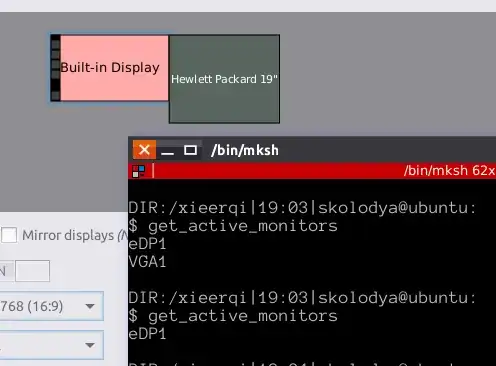
Here's test runs:

With VGA monitor on
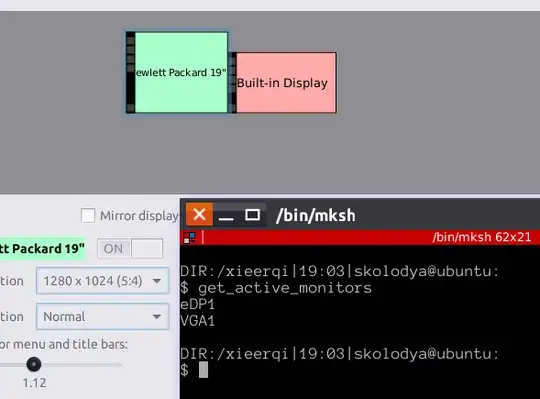
enter image description here

With VGA monitor off

enter image description here

0
xrandr --listactivemonitors | awk '{print $NF}'
undg
  • 101
0

Get all the Display connected using

 xrandr -q

Then you can create variable of all the display connected like

Display1=VGA1

and so on

then use script

 #!/bin/bash

 if (xrandr | grep "$DISPLAY1 connected"); then
    if (ls | grep status_flag); then  
        xrandr --output $DISPLAY1 --off
        rm status_flag
    else
        xrandr --output $DISPLAY1 --auto
        touch status_flag
    fi
 fi

Executing this script first time will turn on the monitor without knowing monitor is on or off ,and from second time it will turn off if the monitor is on and turn on if the monitor is off.

s.m
  • 2,287
0

with xrandr in the resolution list the, active display resolution should have an asterisk straight after it, if it is not present then the display is not active.