When I right click on a folder - I see double element "file" - open in Nautilus (installed on my Lubuntu).
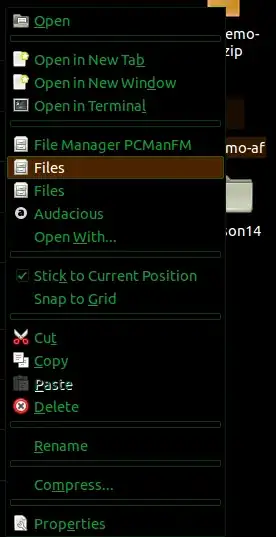
When I right click on a folder - I see double element "file" - open in Nautilus (installed on my Lubuntu).


Open a terminal window (Ctrl+Alt+T) and type
cd /usr/share/applications
sudo mv nautilus.desktop nautilus.disabled
Afterwards restart PCManFM
What you are doing here is renaming the file /usr/share/applications/nautilus.desktop - you could also delete it, the name you use doesn't matter at all.
Try this, just press Ctrl+Alt+T on your keyboard to open Terminal. When it opens, run the command(s) below:
cd /usr/share/nautilus/ui
sudo cp nautilus-directory-view-ui.xml nautilus-directory-view-ui.xml.bak
sudo gedit nautilus-directory-view-ui.xml
Remove duplicates, and then
nautilus -q
