I would like to change my "Device name" as shown in the settings panel. How do I do this?
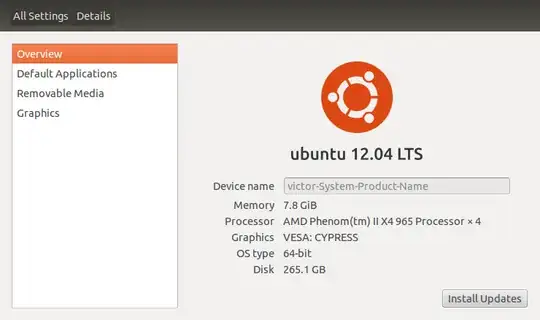
I would like to change my "Device name" as shown in the settings panel. How do I do this?
Execute the following command using a terminal:
sudo sed -i 's/present-host-name/new-host-name/' /etc/hosts
sudo sed -i 's/present-host-name/new-host-name/' /etc/hostname
You can check your present-host-name by cat /etc/hostname or hostname.
Then reboot the computer, to see the changes.

Open a terminal and issue the command
gksu gedit /etc/hosts
Then change the line
127.0.1.1 victor-System-Product-Name
with
127.0.1.1 your-desired-name
Then also open the file /etc/hostname with command gksu gedit /etc/hostname and change the hostname there to reflect the new name.
Then reboot the computer, to see the changes

Since there are plenty of ways to get something done here is one more:
While in your root directory:
cd /etc
sudo vi hostname
Type in your admin password, press Enter.
Press i to 'insert' and change existing device name to the desired device name.
Press Esc and type :wq!, press Enter.
Restart the system for the change to take affect.

Run this command , it will open up Text editor
sudo gedit /etc/hostname
Replace the present name to your Desired name. Save and close. Reboot for it to take effect.


